
Get found on Google and ChatGPT.
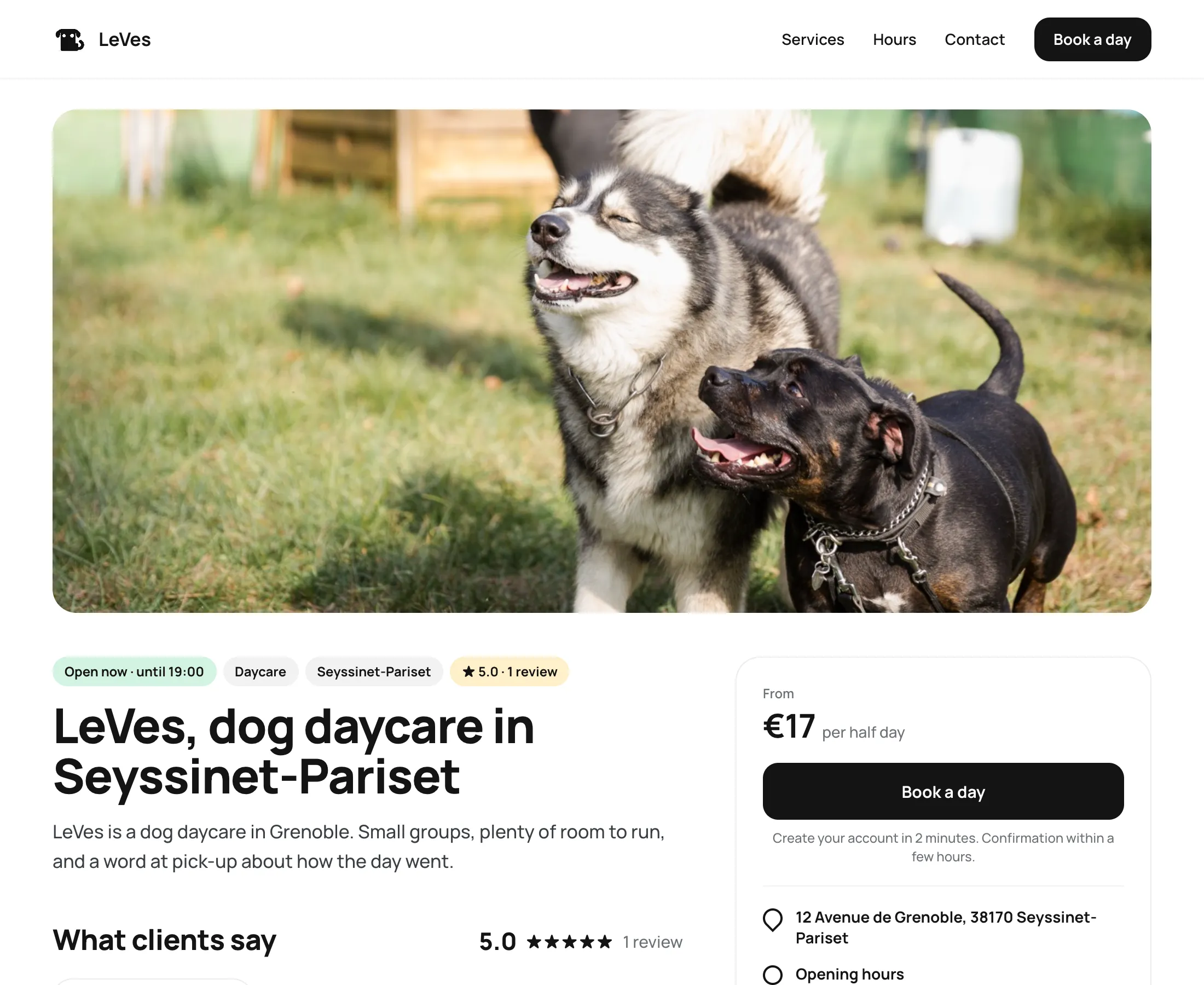
Your center gets a public page with photos, prices, hours and reviews, written in a format that search engines and AI assistants read directly.
Online in three steps
- 1Fill in your center
Name, address, hours, services and prices. Add photos and your welcome message.
- 2Publish
Your page goes live at pandacal.app/your-center with structured data for search engines.
- 3Stay up to date
Prices, hours and new reviews update the page as soon as they change.
Rating, price and hours right in the search results.
Your page describes your center in the structured format Google uses for local businesses. Owners see your stars, your starting price and whether you are open before they even click.
Ready when owners ask ChatGPT.
More owners ask an AI assistant instead of searching. Your page gives it clear facts to quote: services, prices, hours and reviews, with a link back to book.
A website you never have to maintain.
Edit photos, services and your welcome message from the dashboard. Use the PandaCal address or connect your own domain.
- Structured data for hours, prices and location
- pandacal.app/your-center or your own domain
- A button that opens the booking
- Verified reviews shown on the page
Make the page look like your center.
Choose which sections to show, pick your color and corner style, add your logo and cover photo. The preview is the real page as you change it, and it goes live when you publish.
Common questions.
Do I need a website already?
No. The public page can be your website. If you already have one, add a link or a booking button to it.
How long before Google shows my page?
Google decides, so nobody can promise a date. Your page is published in a format it reads directly, and new pages are typically picked up within days to a few weeks.
Can I hide my prices?
Yes. Turn off “Services & prices” in the page builder and the page shows your center without them.
Included in the same plan.
Get visible and find more clients, for free.
Your first 15 days are free.